You may have noticed that when you drag something on your screen, it will often lag behind your mouse or finger, as if attached by a rubber band. This is input latency: a delay in the computer's response to your actions.
Techniques to Reduce Latency in Your Apps
This is part 2 of a series on input latency. Check the first post for background information about input latency.
This post contains techniques you can use as a developer to reduce input latency in your applications. But first, a discussion of something that you shouldn't do:
Input Latency: Platform-specific Considerations
This is part 3 of a series on input latency. Check the first post for background information about input latency, and part 2 for general techniques for reducing input latency in applications.
Tensorflow tidbit: What's up with :0 in the names of my variables?
tl;dr replace t.name with t.op.name to get rid of the :0
When getting the names of things in Tensorflow I've sometimes been confused by the difference between x and x:0. It turns out that x:0 is the name of a Tensor object, while x is the name of the op that generates it (such as Add or MatMul).
If you have a Tensor object t and you say t.name, you will get a name with :0 at the end. If you want the name without :0, don't just try to use string processing to remove the :0! Instead, you can access the op related to the Tensor with the op member variable, so you can get the name you want with t.op.name.
If instead you have an operation my_op and you want the name of its output tensor, you can say my_op.outputs[0].name.
Tensorflow tidbit: incompatible with expected float_ref
'x' was passed float from 'y:0' incompatible with expected float_ref
This means that a node in your graph expected to get a variable, but was given a constant instead. This is a message you might see when trying to freeze a graph using graph_util.convert_variables_to_constants. You probably need to add y to the variable_names_blacklist parameter when calling graph_util.convert_variables_to_constants so that it doesn't get converted into a constant. Or, if you're sure you want y to be a constant then you'll need to figure out why your graph contains x that expects it to be a variable; perhaps x can be removed.
Homebrew Oculus Rift Eye Tracker
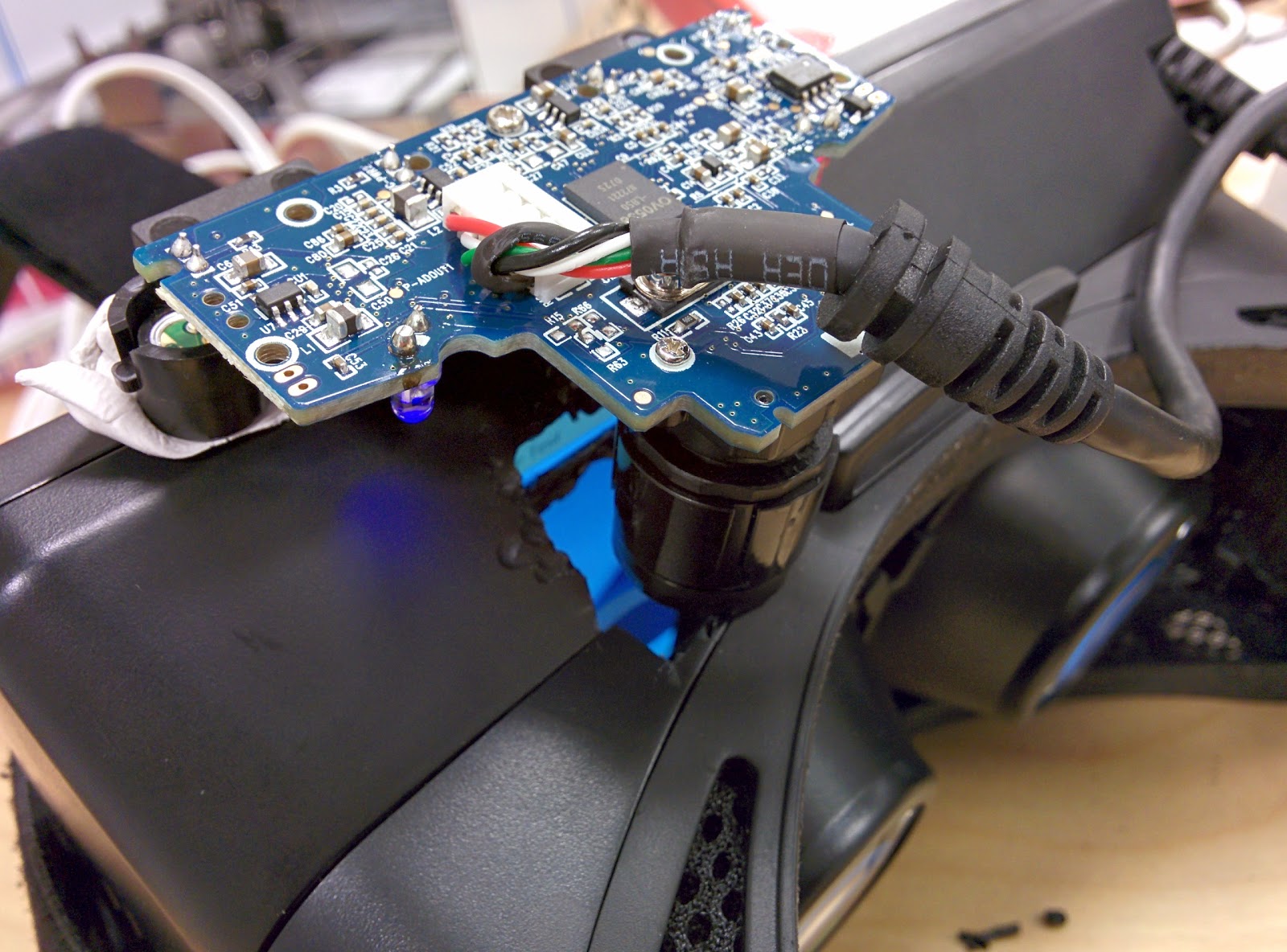 No case, for now
I recently purchased two commercial eye trackers: the Tobii EyeX and the Eye Tribe tracker, both $99. I'm excited about the possibilities for eye tracking as an input method and for telepresence, but the reality of these trackers is disappointing. The accuracy is so bad that they can't possibly be used as mouse replacements. To make a click target large enough to hit reliably, it would have to be about 1/4 of the screen width and height; anything else would just be too small.
Pebble vs. Qualcomm Toq: Smartwatch showdown
There are a lot of new smartwatch contenders out there this holiday season. I've had my Pebble since February, and wearing it all year has given me a good idea of what's important in a smartwatch and what's not. The most heavily promoted smartwatch, Samsung's Galaxy Gear, has a fatal flaw: the screen isn't always on, making it mostly useless as a watch. The other big name smartwatch, Sony's Smartwatch 2, has been getting mediocre to poor reviews; but there's another contender that hasn't gotten as much attention: the Qualcomm Toq (pronounced "tock", apparently). It has a fancy new non-LCD screen technology and a lot of ambition, but how does it stack up to the Pebble?